OPay Merchant Payments on PulseISP: A Simple Way to Accept Payments for Your Nigerian Hotspot Business
Accept OPay payments directly through your PulseISP-powered hotspot. Learn how Nigerian hotspot businesses can connect OPay Merchant, automate payments, and instantly deliver vouchers to customers.
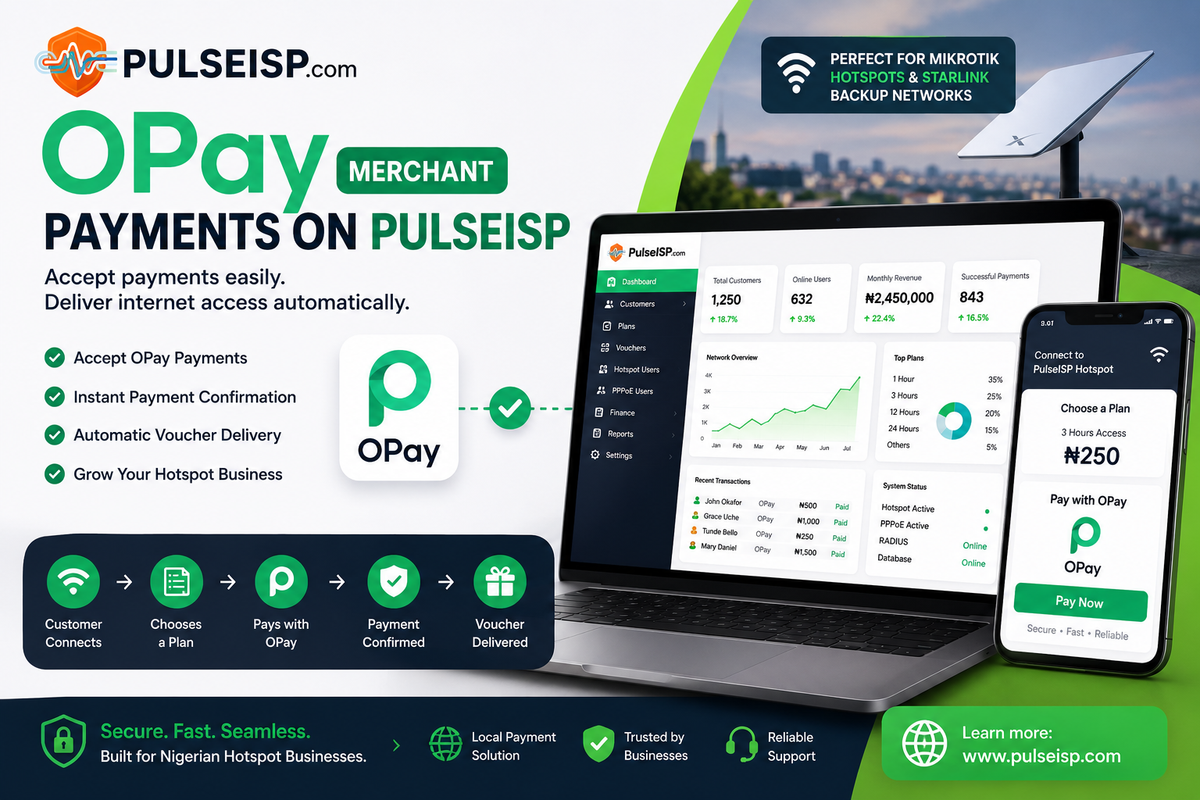
Running a hotspot business in Nigeria means one thing is always important: making it easy for customers to pay.
Whether you're operating a Starlink-powered hotspot, a hotel Wi-Fi service, a cafe network, a campus hotspot, or a MikroTik-based ISP, customers don't want a complicated payment process.
They want to:
Connect → Choose a plan → Pay → Get online.
That's where OPay Merchant + PulseISP comes in.
With the OPay Merchant payment integration available in PulseISP, Nigerian hotspot operators can accept payments through OPay and automatically deliver internet access to customers after a successful payment.
No manually checking transfers.
No asking customers to send screenshots.
No manually creating vouchers after every payment.
Just a payment followed by automatic service delivery.
Why OPay Makes Sense for Nigerian Hotspot Businesses
OPay is already widely used by businesses and customers across Nigeria.
For a hotspot operator, this is important because you're using a payment method your customers are already familiar with.
Instead of telling a customer:
"Transfer to this account and send me proof of payment."
You can give them a proper payment flow where the payment is connected directly to your hotspot system.
This becomes particularly useful for businesses running MikroTik hotspots in locations where Starlink or another internet connection provides the upstream connection.
The internet source can change.
Your payment and customer management system doesn't have to.
What Happens When OPay Is Connected to PulseISP?
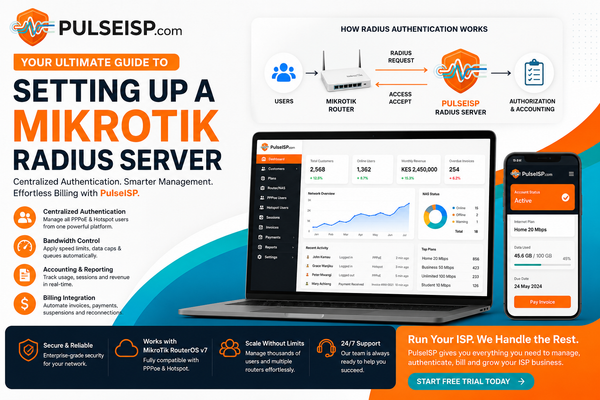
The integration connects the payment side of your business with the network access side.
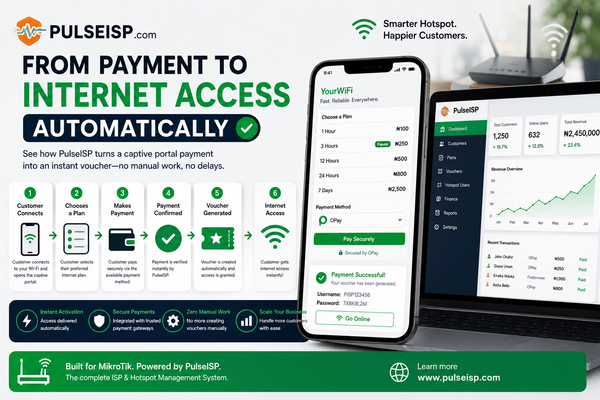
The basic flow looks like this:
Customer connects to your hotspot
↓
Customer opens your captive portal
↓
Customer selects an internet plan
↓
Customer chooses OPay
↓
Customer completes payment
↓
PulseISP receives confirmation
↓
Payment is verified
↓
Voucher/access is automatically issued
↓
Customer gets online
That's the important part.
You don't have to manually process the customer's payment before giving them access.
PulseISP handles the connection between your payment system and your MikroTik network.
From Payment to Internet Access Automatically
Imagine you're running a Starlink-powered hotspot at a busy location.
A customer connects to your Wi-Fi and sees your captive portal.
They might see plans such as:
| Plan | Price | Access |
|---|---|---|
| 1 Hour | ₦100 | 1 hour |
| 3 Hours | ₦250 | 3 hours |
| 12 Hours | ₦500 | 12 hours |
| 24 Hours | ₦1,000 | 24 hours |
The customer selects a plan and chooses OPay.
After completing the payment, PulseISP can process the successful transaction and provide the customer with the appropriate internet access.
The operator doesn't have to sit there watching their bank account.
That's the difference between accepting payments and automating your hotspot business.
You Don't Need to Build the Payment System Yourself
One of the biggest advantages of using PulseISP is that you're not expected to build your own payment infrastructure.
Your hotspot already has enough moving parts.
You have:
- MikroTik
- Starlink or another ISP
- PPPoE or Hotspot
- RADIUS
- Customer accounts
- Internet plans
- Vouchers
- Bandwidth limits
- Expiry times
- Payment processing
The last thing you need is to start writing your own payment verification system.
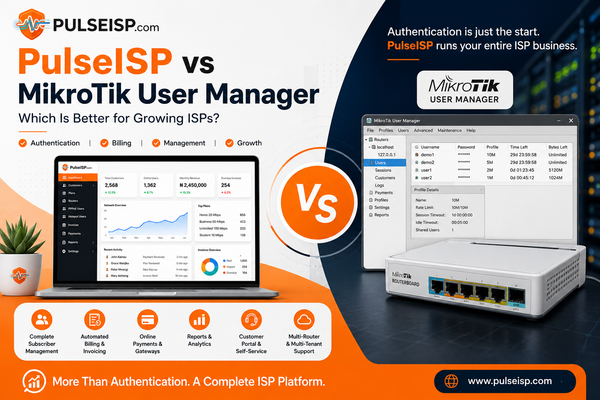
PulseISP brings these pieces together.
Your payment gateway handles the money.
Your MikroTik handles the network.
PulseISP connects the two.
What You Need From OPay
To connect OPay Merchant with PulseISP, you'll need an OPay merchant account and the credentials required for the integration.
Depending on your OPay merchant setup, these include information such as:
- Merchant ID
- Public Key
- Secret Key
These credentials allow PulseISP to communicate with OPay securely when processing transactions.
Never share your secret key publicly.
Treat it like a password for your payment infrastructure.
How to Register for OPay Merchant
If you haven't created your OPay Merchant account yet, I've also created a walkthrough showing the process.
The video covers:
- Registering as an OPay merchant
- Setting up your merchant account
- Getting your Merchant ID
- Finding your Public Key
- Getting your Secret Key
- Adding the credentials to PulseISP
- Testing the payment integration
Watch the full walkthrough
If you're setting this up for the first time, I'd recommend watching the video alongside your PulseISP dashboard.
Connecting OPay to PulseISP
Once your OPay Merchant credentials are available, the next step is connecting them to PulseISP.
The exact configuration depends on the payment settings available in your PulseISP installation, but the idea is straightforward:
OPay Merchant credentials → PulseISP → Customer payment → MikroTik access
Once configured, your payment gateway becomes part of your captive portal's payment experience.
This means your customers don't need to contact you every time they want to purchase internet access.
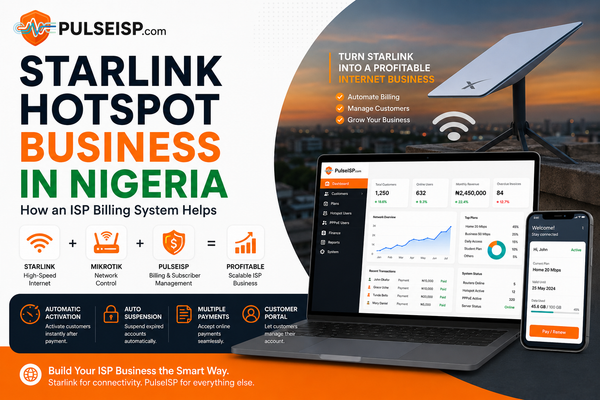
Perfect for Starlink Hotspots
One of the interesting use cases for this integration is the growing number of businesses using Starlink as an internet source for hotspot deployments.
Starlink can provide the internet connection.
MikroTik can manage the network.
PulseISP can manage the customers, plans, billing and access.
OPay can handle the payment.
Together, the stack can look something like:
Starlink
→ Internet connection
MikroTik
→ Hotspot / network management
PulseISP
→ Customers, plans, vouchers, billing & automation
OPay
→ Nigerian payment processing
Customer
→ Pays and gets internet access
This means you don't need to manually sit beside the router selling vouchers all day.
What About Voucher-Based Hotspots?
This is where the setup becomes particularly useful for traditional hotspot operators.
You can continue using a voucher-based model while making the purchase process much more automated.
Instead of manually generating a voucher and handing it to a customer after receiving payment, the system can handle the transaction and access workflow for you.
For example:
Customer pays ₦500
↓
Payment confirmed
↓
PulseISP processes the transaction
↓
Internet access is awarded
The customer gets what they paid for without requiring you to intervene.
That's exactly the kind of repetitive work a billing system should remove.
Stop Asking Customers to Send Payment Screenshots
This is one of the biggest problems with manual hotspot payments.
A typical workflow might look like:
"Send ₦500 to this account."
Then:
"Send the screenshot."
Then:
"Let me check."
Then:
"Okay, your voucher is ABC123."
That might be manageable when you have five customers.
Now imagine doing it for 100 customers every day.
It's slow.
It's difficult to track.
And it's very easy to make mistakes.
An integrated payment system changes that workflow completely.
The customer pays through the supported payment channel, and the system can process the transaction automatically.
Your Hotspot Can Run Without You Sitting Beside It
This is really the bigger picture.
PulseISP isn't just about collecting payments.
It's about removing yourself from repetitive network operations.
A properly configured hotspot can allow customers to:
- View available plans
- Select a package
- Pay online
- Receive their access
- Connect to the internet
- Use their purchased time/data
- Return and purchase another package
While you focus on running the business.
This is especially valuable for unattended or semi-unattended hotspot locations.
OPay + PulseISP for Nigerian Businesses
For Nigerian hotspot operators, having a locally familiar payment option matters.
You don't necessarily need to force customers into unfamiliar international payment methods.
If your customers already use OPay, integrating OPay into your hotspot payment flow gives them another convenient way to pay.
And because PulseISP is built around ISP and hotspot operations, the payment isn't isolated from the rest of the system.
It's connected to the service you're actually selling:
Internet access.
Beyond Starlink
Although Starlink makes for an interesting example, you don't need Starlink to use this setup.
The same concept can work with other internet connections.
You can use PulseISP with a MikroTik-powered network whether your upstream connection is:
- Starlink
- Fibre
- Wireless ISP
- 4G/5G
- Multiple WAN connections
- Another ISP
- A backup internet connection
The important part is that your MikroTik network is configured to work with PulseISP.
Your internet provider supplies connectivity.
PulseISP manages the ISP business layer.
Why This Matters as Your Hotspot Grows
At the beginning, manual operations don't seem like a big problem.
You might have one router.
Ten customers.
A few vouchers.
You can handle everything yourself.
But eventually the numbers increase.
20 customers.
Suddenly, manually checking payments and issuing access becomes a full-time job.
That's when automation becomes important.
The goal isn't simply to sell more vouchers.
It's to build a system that can handle more customers without requiring the same increase in manual work.
A Better Hotspot Business Workflow
Instead of:
Customer → WhatsApp → Bank Transfer → Screenshot → Admin → Voucher
You can move toward:
Customer → Captive Portal → Select Plan → OPay → Payment Confirmation → Internet Access
That's a much better customer experience.
And it's a much better experience for the person running the hotspot.
Setting Up OPay Merchant with PulseISP
If you're ready to try the integration, start by creating your OPay Merchant account and obtaining your required merchant credentials.
I've recorded a complete video showing the process, including where to find the credentials and how to connect them to PulseISP.
Once you've completed the setup, you can begin testing payments through your PulseISP-powered captive portal.
Always test with a small transaction before putting the system into production.
Build a Hotspot That Can Sell While You Sleep
A hotspot business shouldn't require you to manually approve every customer.
Your MikroTik should handle the network.
Your payment gateway should handle the payment.
Your billing system should connect the two.
That's the role PulseISP is designed to play.
Whether you're deploying a Starlink hotspot, running a hotel Wi-Fi service, operating a public hotspot or building a small ISP network, integrating local payment methods like OPay can make the entire customer experience significantly easier.
Customer pays.
PulseISP processes the transaction.
Access is delivered.
You keep running your business.
That's the point of automation.
Ready to Connect Your Hotspot?
If you're already running MikroTik and want to automate your customers, payments, vouchers and internet access, PulseISP gives you the tools to bring those pieces together in one system.
And if you're specifically looking to set up OPay Merchant payments, start with the walkthrough:
Watch: How to Register for OPay Merchant and Integrate OPay with PulseISP
Stop manually selling internet access. Let your hotspot handle the process.