How to Set Up a MikroTik RADIUS Server Without the Headache
Learn how MikroTik RADIUS authentication works, why every growing ISP needs it, and how PulseISP eliminates the complexity of managing Free RADIUS, billing, and subscriber accounts.
Learn how MikroTik RADIUS authentication works, why every growing ISP needs it, and how PulseISP eliminates the complexity of managing FreeRADIUS, billing, and subscriber accounts.
Introduction
If you're running a MikroTik-based ISP, you've probably reached the point where managing users directly on your routers no longer makes sense.
- Adding subscribers one by one.
- Changing passwords manually.
- Updating bandwidth profiles.
- Suspending expired accounts.
- Repeating the same tasks across multiple routers.
- It works when you have 20 customers.
- It becomes a nightmare when you have 200.
This is exactly why RADIUS exists.
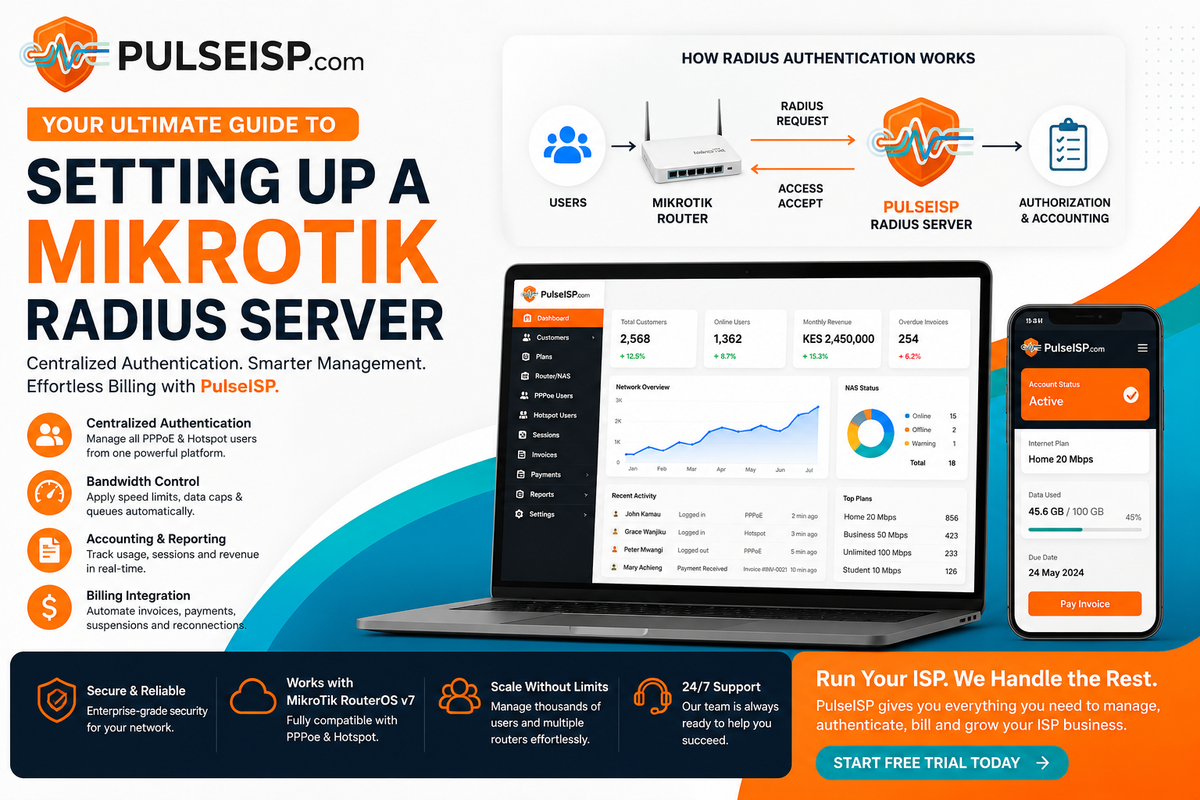
A RADIUS server centralizes authentication, authorization, and accounting (AAA), allowing all your MikroTik routers to authenticate subscribers from one place instead of maintaining separate user databases on every router.
But while RADIUS solves one problem, it often introduces another.
Most guides teach you how to install FreeRADIUS, configure Linux servers, edit configuration files, manage SQL databases, and troubleshoot authentication errors.
That's a lot of infrastructure to maintain before you've even connected your first customer.
Fortunately, there's a much simpler approach.
What Is a MikroTik RADIUS Server?
A RADIUS server is the central authentication system for your ISP.
Instead of storing customer usernames and passwords on each MikroTik router, every login request is sent to a central server.
That server decides:
- Can this customer connect?
- What internet speed should they receive?
- Has their subscription expired?
- How much bandwidth have they used?
- Which service plan should be applied?
Every MikroTik router simply asks the RADIUS server for permission before allowing internet access.
This makes managing your entire ISP significantly easier as your network grows.
The Problem with Managing Users Locally
Many new ISPs begin by creating PPPoE users directly inside RouterOS.
While this works initially, problems appear as the customer base expands.
Imagine managing:
- 5 MikroTik routers
- 400 subscribers
- Multiple internet plans
- Daily payments
- Expired subscriptions
- Static IP customers
Every small change becomes repetitive.
Need to upgrade a customer's speed?
Edit the router.
Need to suspend service?
Log into another router.
Need to create a new account?
Repeat the same process again.
Manual management doesn't scale.
Why Most FreeRADIUS Setups Become Difficult
FreeRADIUS is an incredibly powerful authentication server and is trusted by ISPs worldwide.
However, building and maintaining it yourself usually means managing several different systems.
A typical deployment includes:
- Linux server
- FreeRADIUS
- SQL database
- MikroTik RouterOS
- Billing software
- Payment gateway
- Custom automation scripts
Each component requires installation, maintenance, backups, security updates, and troubleshooting.
Whenever something breaks, you're responsible for finding the cause.
Was it FreeRADIUS?
The database?
RouterOS?
The billing software?
The synchronization script?
For many growing ISPs, the biggest challenge isn't configuring RADIUS.
It's managing everything around it.
A Better Approach: Let Pulse ISP Billing System Handle It
Instead of building multiple systems and making them work together, PulseISP combines subscriber management, billing, authentication, and RADIUS into a single platform.
That means you can focus on growing your ISP instead of maintaining Linux servers.
With PulseISP you can:
- Connect one or multiple MikroTik routers
- Authenticate PPPoE subscribers
- Manage Hotspot users
- Create internet plans
- Automatically assign bandwidth profiles
- Suspend expired accounts
- Track online users
- View session history
- Monitor bandwidth usage
- Manage multiple tenants from one dashboard
Everything happens from one interface.
No editing configuration files.
No writing SQL queries.
No custom scripts.
How PulseISP Works
Once your MikroTik router is connected to PulseISP, the workflow becomes simple.
Step 1 — Add Your MikroTik Router
Register your router inside the PulseISP dashboard using standard MikroTik RADIUS settings.
Step 2 — Create Internet Plans
Define plans such as:
- 10 Mbps Residential
- 30 Mbps Business
- 100 Mbps Enterprise
PulseISP automatically applies the correct bandwidth profile whenever a customer logs in.
Step 3 — Add Subscribers
Create a customer profile.
Assign an internet package.
Generate PPPoE credentials.
That's it.
No manual RADIUS user creation required.
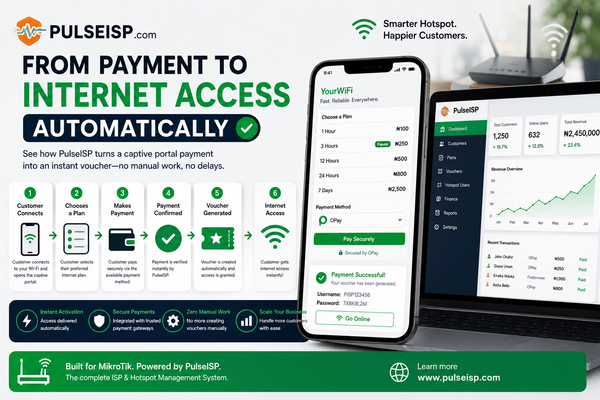
Step 4 — Customer Connects
When the customer enters their PPPoE username and password:
- MikroTik sends the request to PulseISP
- PulseISP verifies the account
- Bandwidth limits are applied
- Session accounting begins
- Internet access is granted instantly
The entire process takes only seconds.
Billing and Authentication Working Together
Traditional RADIUS servers only authenticate users.
They don't know whether your customer has paid their bill.
That's why many ISPs rely on custom scripts to suspend or reactivate accounts.
PulseISP removes that complexity.
When a customer:
- Pays their invoice
- Renews their subscription
- Changes their internet package
- Upgrades speed
- Reaches their renewal date
PulseISP automatically updates their network access without requiring manual intervention.
Authentication and billing stay perfectly synchronized.
Managing Multiple MikroTik Routers
As your network grows, managing routers individually becomes increasingly difficult.
PulseISP allows multiple MikroTik routers to authenticate against the same central platform.
Whether you're operating:
- One town
- Several cities
- Multiple POP locations
- Franchise deployments
- Multi-tenant ISP operations
subscriber information stays centralized.
Your customers receive the same service regardless of which access point or router they connect through.
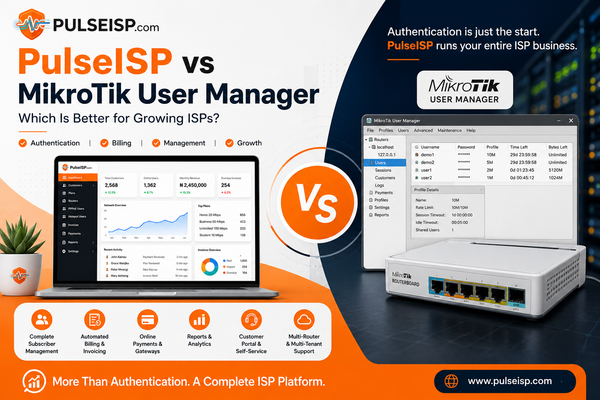
FreeRADIUS vs PulseISP
| Feature | FreeRADIUS | PulseISP |
|---|---|---|
| Linux Server Required | ✅ Yes | ❌ No |
| Manual Configuration Files | ✅ Yes | ❌ No |
| SQL Database Setup | ✅ Yes | ❌ No |
| Built-in Subscriber Management | ❌ No | ✅ Yes |
| Internet Plan Management | ❌ Manual | ✅ Included |
| Automatic Suspensions | ❌ Scripts Required | ✅ Built In |
| PPPoE Authentication | ✅ Yes | ✅ Yes |
| Hotspot Authentication | ✅ Yes | ✅ Yes |
| Usage Accounting | ✅ Yes | ✅ Included |
| Billing Integration | External | Built In |
| Multi-Tenant Support | Custom Development | ✅ Included |
| Dashboard Management | ❌ No | ✅ Modern Web Dashboard |
Who Should Use PulseISP?
PulseISP is designed for:
- Wireless Internet Service Providers (WISPs)
- Fibre ISPs
- Community broadband providers
- Apartment internet providers
- Campus networks
- Hotels
- Internet cafés
- Managed network operators
Whether you're starting your first ISP or managing thousands of subscribers, PulseISP gives you the tools to automate daily operations without the overhead of maintaining multiple disconnected systems.
Frequently Asked Questions
Do I still need FreeRADIUS?
PulseISP is designed to simplify RADIUS-based subscriber management. For many MikroTik deployments, it removes the need to build and maintain a separate FreeRADIUS environment while still providing centralized authentication and accounting.
Can PulseISP manage multiple MikroTik routers?
Yes. You can connect multiple MikroTik routers to a single PulseISP instance and manage subscribers centrally.
Does PulseISP support PPPoE and Hotspot authentication?
Yes. PulseISP supports both PPPoE and Hotspot authentication for MikroTik RouterOS deployments.
Can customers be suspended automatically?
Yes. When a subscription expires or becomes inactive, PulseISP can automatically update network access based on your billing and service policies.
Can I monitor active sessions?
Yes. PulseISP provides visibility into online subscribers, session activity, and usage information from a centralized dashboard.
Simplify MikroTik Subscriber Management with PulseISP
A MikroTik RADIUS server is essential for running a professional ISP—but managing FreeRADIUS, billing software, customer databases, and automation scripts separately can quickly become overwhelming.
PulseISP brings everything together in one platform, allowing you to manage subscribers, automate authentication, enforce service plans, and streamline billing from a single dashboard.
Instead of spending your time maintaining infrastructure, you can focus on expanding your network and delivering reliable internet to your customers.
Ready to simplify your ISP operations? Try PulseISP today and see how easy MikroTik subscriber management can be.